Does Snapchat Notify When You Screen Record?
By the View Snapchat Stories team · · 1 min read
Every case
| You screen record… | iPhone | Android |
|---|---|---|
| A Snap sent to you | Notified | Notified |
| A chat | Notified | Notified |
| A friend’s Story | Notified (icon in viewer list) | Notified (icon in viewer list) |
| A public Story, logged in | Notified if your name shows in their list | Same |
| A public Story, not logged in | Not notified | Not notified |
| A Spotlight video | Not notified | Not notified |
What the other person sees
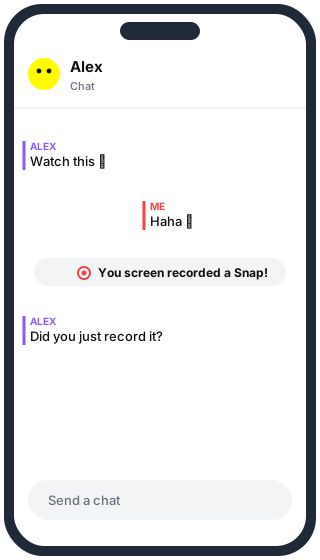
In a chat, a line appears saying you recorded the screen. On a Story, a screen-recording icon appears next to your name in their viewer list. Snapchat doesn’t say how long you recorded or what was on screen.
“Workarounds” that fail
- Airplane mode before recording: the event is queued and sent when you reconnect.
- Starting the recording before opening Snapchat: Snapchat still sees the recording when the Snap opens.
- Screen mirroring to a TV or computer: may be detected too, and some apps show a black screen while mirroring.
- Apps that promise silent recording: they need your login and break Snapchat’s rules.
Keeping a public Story the honest way
A public Story is published on the web for anyone. Open it without logging in and save the file directly: paste the username into our Story Downloader, tap the snap and press Save. It downloads as MP4 in the quality Snapchat serves, with no recording and no notification. For one-off videos from Spotlight, use the Spotlight Downloader.
Questions
Is it different from a screenshot? Only in the wording of the notice. See screenshot notifications.
Does recording a video call notify them? Treat it as yes: recording people without their consent is also illegal in many places.